Showing posts with label faq of the month. Show all posts

Friday, July 22, 2016

Get Your Pokemon Go Social KitToday

We've created the ultimate solution for your practice with our Pokemon Go campaign. Get involved with your community, meet new prospective patients, and grow your social media presence with our new Pokemon Go Social Kit!

How it works:
We provide all of the printed materials you need for your Pokemon Go campaign. Use the materials to grow your social media presence with your local Pokemon Go players. Offer the players your WIFI guest password when they LIKE you on Facebook! It's simple, fun, and allows you to grow your social presence all while keeping up with the latest gaming trend.

Pokemon Go Social Kit Includes:
1 - 24" x 18" Campaign Sign
1 - 8 1/2" x 11" In Office Sign (frame not included)
1 - Social Media Digital Graphic (display not included)
2 - Selfie Signs
3 - Photo Booth Props


CALL US TO GET YOUR POKEMON GO SOCIAL KIT TODAY! 800-888-4084
Tuesday, April 19, 2016

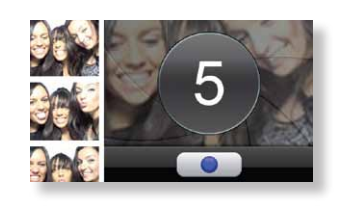
FAQ Of The Month: How Come My Camera Is Not Working?

Montage was developed to create the ultimate patient experience in the reception area of your office. You can organize, manage and display educational and informational content in one place and make it fun at the same time. We understand that technology isn’t always easy to use, so this month we decided to take one of your Frequently Asked Questions, and provide the answer for you below!

Question: How come my Camera is not working?

Answer:
  1. Please check if the camera is plugged into the computer attached to the back of the Touchscreen board or try using a different USB Port. 
  2. Next refresh the contents of the page that is currently running on the Montage board. When prompted make sure you are selecting “Allow” when it asks if you want to let www.andisolutions.com use your camera. The message should right above the content of Montage. If it does not please do not hesitate to give our office a call. 
  3. If the problems persist, let us know and we can get this resolved for you.
If you have any further questions or concerns, our Technical Support can be reached @559.765.0638 or support@solutionsbydesign.com.